
Limit kids' screen time – without the fights
FocusKey blocks TikTok, Instagram & more on your child's phone. The card stays with you – your child can't bypass the block. For iPhone & Android.
Order now – from €24.99Why screen time apps don't work for kids
Parents who've tried Family Link, Screen Time or Qustodio know the pattern: the app is set up, limits are in place, and three days later your child has found a YouTube video explaining how to turn everything off.
The problem is always the same. When the block lives on your child's phone, it can be bypassed on your child's phone. Change the code, uninstall the app, create a second account, use a VPN. Kids are remarkably creative – especially when they're 13 and their friends show them tricks.
FocusKey works differently. The block can only be lifted with a physical card. It's in your wallet. Your child can do whatever they want on their phone – there's no button, no code and no trick to lift the block. Either the card is scanned, or the apps stay locked.
How FocusKey works for families
Three steps – set up once, use every day. No complicated settings.
Set up the app
Download the free FocusKey app on your child's phone. Choose which apps to block – TikTok, Instagram, Snapchat, YouTube, games or all of them.
Scan the card
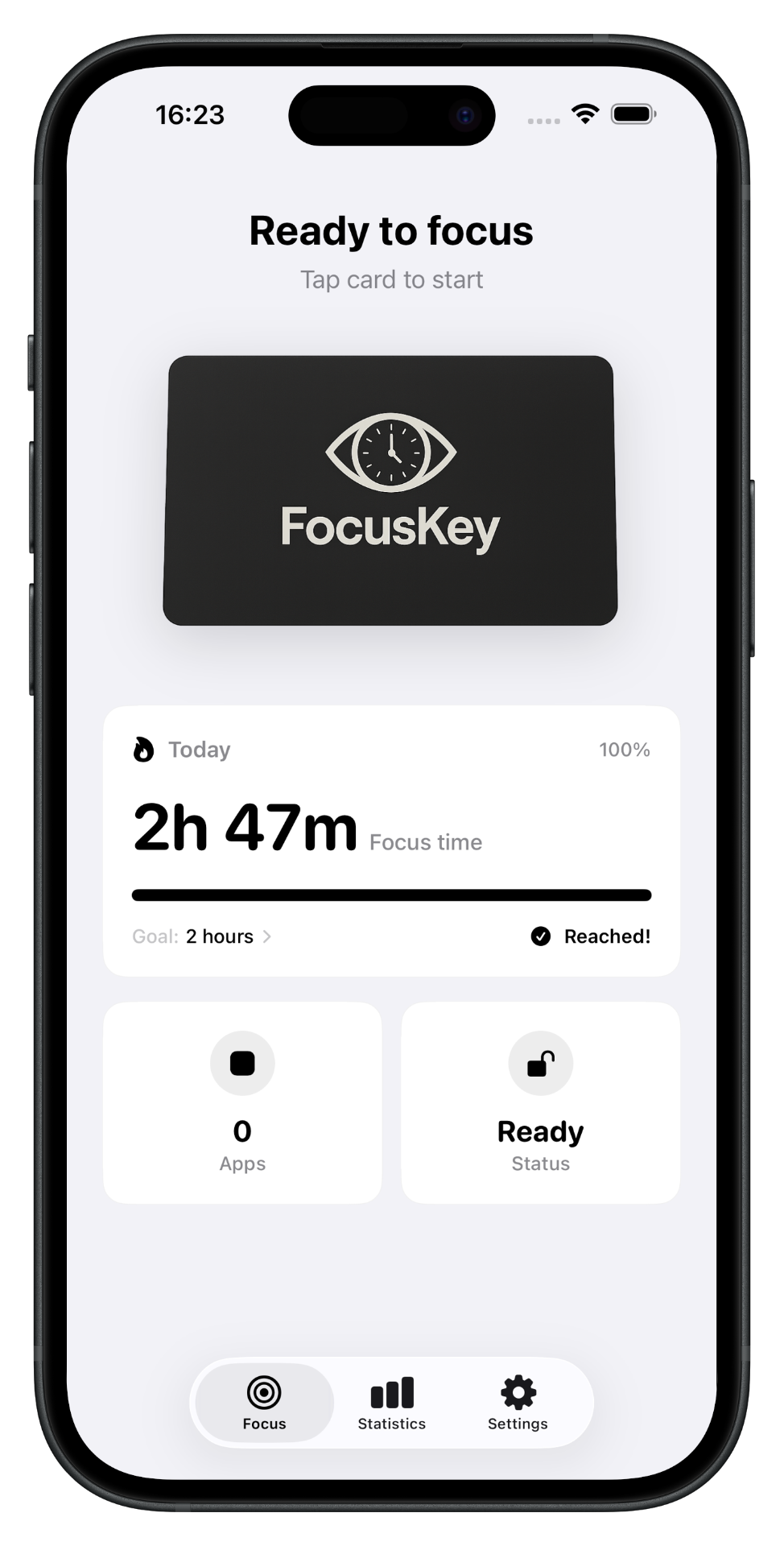
Hold the FocusKey card to your child's phone. Selected apps are blocked instantly. Before school, during homework, or before bedtime.
Keep the card
The card stays with you. Your child cannot lift the block – not by restarting, not by uninstalling, not by creating a second profile. No card, no access.
No workaround possible
Unlike Family Link or Screen Time, FocusKey cannot be bypassed. The block is physical – no PIN to memorize, no app to uninstall, no YouTube tutorial. On Android, FocusKey runs as Device Admin and cannot simply be removed.
18+ web protection – even without an active session
Most app blockers only block apps during a focus session. Once the session is over, everything is accessible again – including content your child shouldn't see.
FocusKey has built-in web protection that permanently blocks adult content. Even when no block is active, gambling sites, pornography and other 18+ content are not reachable. Only someone with access to the FocusKey app and the card can disable this protection.
No other physical app blocker on the market offers this.
A day with FocusKey
Morning before school
Scan the card on your child's phone. TikTok, Instagram, Snapchat and YouTube are blocked. Your child can still call, text and use Google Maps. No discussion, no drama – just part of the morning routine.
Afternoon after homework
Scan the card again. Everything is unlocked. Your child learns that there are times with and times without social media – and that it's completely normal.
What parents say
“Scan once in the morning and done – no more discussions with the kids.”
Sarah M.
Mother of 2 (ages 9 & 11)
“Our daughter (13) bypassed Family Link in 10 minutes. FocusKey has worked for 3 months because she simply doesn't have the card.”
Katrin B.
Mother of a teenager
“As a father of three, I needed one solution for all devices. One card, three phones, clear rules.”
Marco T.
Father of 3 (ages 8, 11 & 14)
“The 18+ web protection was my reason to buy. My son is getting his first smartphone – and I know he's protected.”
Andrea L.
Mother, first smartphone for son
From €24.99 · One-time purchase · 14-day money-back
Free shipping on orders over €50. Delivery in 2-3 days.
Order now →Frequently asked questions from parents
Can my child just scan the card themselves?+
What if the card gets lost?+
What age is FocusKey suitable for?+
Can my child just delete the app?+
Does FocusKey work on my child's phone and mine?+
Can my child see which apps I've blocked?+
Give your child back their childhood
Pay once, use forever. No hidden costs, no subscription.
From €24.99. 14-day money-back guarantee.